
Benefits, Features and Safety TipsIntroduction
Few video games have held children’s attention as long as Minecraft. Released in full in 2011 and now owned by Microsoft, it has become one of the best-selling games of all time and is played by millions of children and adults worldwide. Walk into almost any primary school classroom and you will find at least a few children who can tell you how to build a farm, defeat a creeper, or craft a diamond pickaxe.
For parents, though, the questions are practical. Is Minecraft actually good for my child? What can they learn from it? Is it safe to let them play online? How much screen time is too much? This article covers all of these questions. It explains what Minecraft is, describes its main features, looks at the real benefits supported by educators and researchers, and gives clear safety guidance so your child can enjoy the game responsibly.
The aim is not to say that Minecraft is perfect or that every child should play it. The aim is to help you make an informed decision and, if you say yes, to help you set things up so that the experience is creative, social, and safe.
What Is Minecraft?
Minecraft is a sandbox game. Unlike many games that give players a fixed storyline, a set of levels, or a single goal, a sandbox game gives players a world and a set of tools and lets them decide what to do. In Minecraft, that world is made of blocks. There are blocks of dirt, stone, wood, sand, water, lava, ore, and hundreds of other materials. Players can break these blocks, collect them, and place them wherever they like.
The world itself is generated by the game and is enormous. It includes forests, deserts, snowy mountains, oceans, caves, swamps, villages, and many other environments. Each world is different, and players can explore it, build in it, and change it however they wish. Some children spend hours constructing a castle. Others dig deep into the earth looking for rare minerals. Others create farms, set up railway systems, or design working machines using a system called redstone.
The game has a simple, blocky art style that appeals to children. There is very little realistic violence. When a player fights a monster, the monster simply disappears with a puff of smoke. This simple style is one reason the game is rated as suitable for younger players in many regions. For example, it carries a PEGI 7 rating in Europe and an E10+ rating from the ESRB in North America, mainly because of its fantasy violence.
Minecraft is available on many devices, including Windows and Mac computers, Xbox, PlayStation, Nintendo Switch, and mobile phones and tablets. This means most families can find a way to play without buying special equipment.
Understanding the Game Modes
One of the most useful things for parents to know is that Minecraft is not a single experience. It offers several game modes, and the mode your child plays in changes the experience a great deal.
Survival Mode
In Survival mode, players must gather resources, build shelter, find food, and protect themselves from hostile creatures that appear at night. The player has a health bar and a hunger bar, and the world can be dangerous. This mode encourages planning, resource management, and problem solving. It is also the mode with the most mild fantasy combat, since players fight monsters such as zombies and skeletons.
Creative Mode
In Creative mode, players have unlimited resources and can fly around the world. There is no hunger and no danger, so players can focus on building. Many parents of younger children prefer to start here, because the pressure is low and the focus is on imagination. Children can build anything from a simple house to a replica of a famous landmark.
Adventure Mode
Adventure mode is designed mainly for custom maps made by other players. In this mode, players can interact with the world but cannot freely break or place blocks unless the map creator allows it. It is often used for puzzle maps and story-based games.
Spectator Mode
In Spectator mode, players can fly through the world and observe without interacting with it. It is mostly used by advanced players and map makers.
Hardcore Mode
Hardcore mode is a harder version of Survival in which the world is deleted or locked if the player dies. It is not recommended for young children who may become upset by losing their progress.
Difficulty Settings
Within these modes, players can set the difficulty to Peaceful, Easy, Normal, or Hard. On Peaceful, hostile monsters do not appear at all. For a younger child or a nervous player, Peaceful or Easy difficulty is a sensible starting point.
Java Edition, Bedrock Edition, and Other Versions
Parents often get confused because there are several versions of Minecraft.
Java Edition runs on Windows, Mac, and Linux. It has a large community of players who create modifications, often called mods, and custom servers. It offers a lot of flexibility but can also expose players to more unmoderated content.
Bedrock Edition runs on Windows, consoles, and mobile devices. It supports cross-platform play, which means a child on a tablet can play with a friend on a console. It also has an official marketplace where players can buy skins, maps, and texture packs made by approved creators.
Minecraft Education is a version built for schools and learning, which we discuss in more detail later.
There are also spin-off games, such as ones focused on adventure or dungeon exploration. This article focuses on the main sandbox game, but the safety principles apply to related titles as well.
Before buying anything, check which edition suits your child’s device and how you want them to play. If you want your child to play only with a few trusted friends or family members, Bedrock Edition with careful settings or a private world may be the easier choice.
Key Features That Make Minecraft Appealing to Kids
Understanding why children love Minecraft helps parents appreciate both its value and its risks. These are the features that stand out.
Freedom and Open-Ended Play
Children are often told what to do at school, at home, and in many games. Minecraft gives them a rare amount of control. There is no single correct way to play. A child can decide to build, explore, farm, mine, or simply wander around. This freedom is a major source of the game’s appeal and is also the source of many of its learning benefits.
Crafting and Building
Players can combine materials to make tools, weapons, armor, furniture, and many other items using a crafting system. For example, sticks and stone can be combined to make a stone pickaxe. Learning these recipes feels like discovering the rules of a small world. Building, meanwhile, lets children turn an idea in their head into a visible structure.
Redstone and Simple Engineering
Redstone is a material in the game that carries a signal, a little like electricity. Using it, players can build doors that open automatically, hidden traps, lighting systems, and even basic calculators. Redstone circuits introduce logical thinking and the basic ideas behind electronics and programming.
Exploration
The worlds in Minecraft are huge and varied. Children enjoy discovering caves, villages, shipwrecks, and landscapes. Exploration encourages curiosity and persistence.
Multiplayer and Shared Worlds
Players can join friends in the same world, either on the same device or over the internet. Together they can build large projects, share resources, and play mini-games. For many children, Minecraft is a social space, much like a playground. This feature is one of the biggest benefits and also the one that requires the most supervision.
Customization
Players can change the appearance of their character with skins and can install texture packs that change how the world looks. This lets children express their personality.
A Huge Community and Endless Content
Minecraft has a large community of video creators, map builders, and teachers. Children can watch tutorials, learn new techniques, and be inspired by others’ creations. The game also receives regular free updates that add new creatures, blocks, and features, so it rarely feels stale.
The Benefits of Minecraft for Children
Many parents worry that video games are a waste of time. While moderation matters, Minecraft is one of the games for which a strong case can be made that it offers real developmental value. The following benefits are widely discussed by teachers, child development specialists, and researchers, although it is fair to say that the effects depend on how and how much a child plays.
- Creativity and Imagination
Minecraft is often compared to a digital version of building blocks. Children begin with raw materials and an empty space, and they must decide what to make. They design houses, cities, roller coasters, sculptures, and imaginary worlds. Because there are no fixed instructions, children have to come up with their own ideas and carry them out.
Creative play like this supports flexible thinking. A child who tries to build a bridge across a river has to imagine the finished structure, plan how to get there, and adjust the design when something does not work. These habits carry over into drawing, storytelling, and later into design and engineering.
- Problem Solving and Critical Thinking
Almost everything in Minecraft is a small problem. How do I get across this lava? How do I protect my house from monsters? How do I find iron when I only have a wooden pickaxe? Children try out solutions, see what happens, and try again. This process of trial, error, and improvement is the foundation of scientific and logical thinking.
Survival mode in particular requires prioritizing. A child must decide whether to spend the daylight hours mining, building, or gathering food, and must prepare before night arrives. This kind of planning builds executive function skills such as organization, foresight, and decision making.
- Mathematics and Spatial Reasoning
Minecraft is full of hidden math. Blocks are measured in uniform units, so children naturally work with length, width, height, area, and volume. If a child wants to build a house that is ten blocks wide and eight blocks long, they are calculating perimeter and area without realizing it. Building a pyramid requires an understanding of patterns and sequences. Managing inventory involves counting, grouping, and basic arithmetic. Because blocks come in stacks of up to sixty-four, children also become comfortable with multiplication and division in a practical setting.
Spatial reasoning, which is the ability to think about objects in three dimensions, is also trained heavily. Children must imagine how a structure looks from different sides, how to fit parts together, and how to navigate a three-dimensional space. This skill is linked to later success in science, technology, engineering, and mathematics.
- Introduction to STEM and Coding Concepts
Redstone circuits introduce the logic behind electronics and computer science. Concepts such as on and off states, inputs and outputs, and sequences are all present. Some children progress further and begin using educational coding tools connected to Minecraft, especially within the Education edition, to write simple programs that build structures or move characters.
Beyond coding, the game touches on science concepts. Players encounter ideas such as ecosystems, farming and food production, energy, and the properties of materials, even if in a simplified and fantasy form. While Minecraft is not a replacement for real science lessons, it can spark interest and give children a vocabulary and a mental picture to attach real lessons to.
- Teamwork, Communication, and Social Skills
In multiplayer worlds, children learn to cooperate. A group of friends building a large project must agree on a design, divide the work, share resources, and resolve disagreements. These are real social skills. Children who might be shy in person sometimes find it easier to take part in a group in a game, since the shared activity gives them something to talk about.
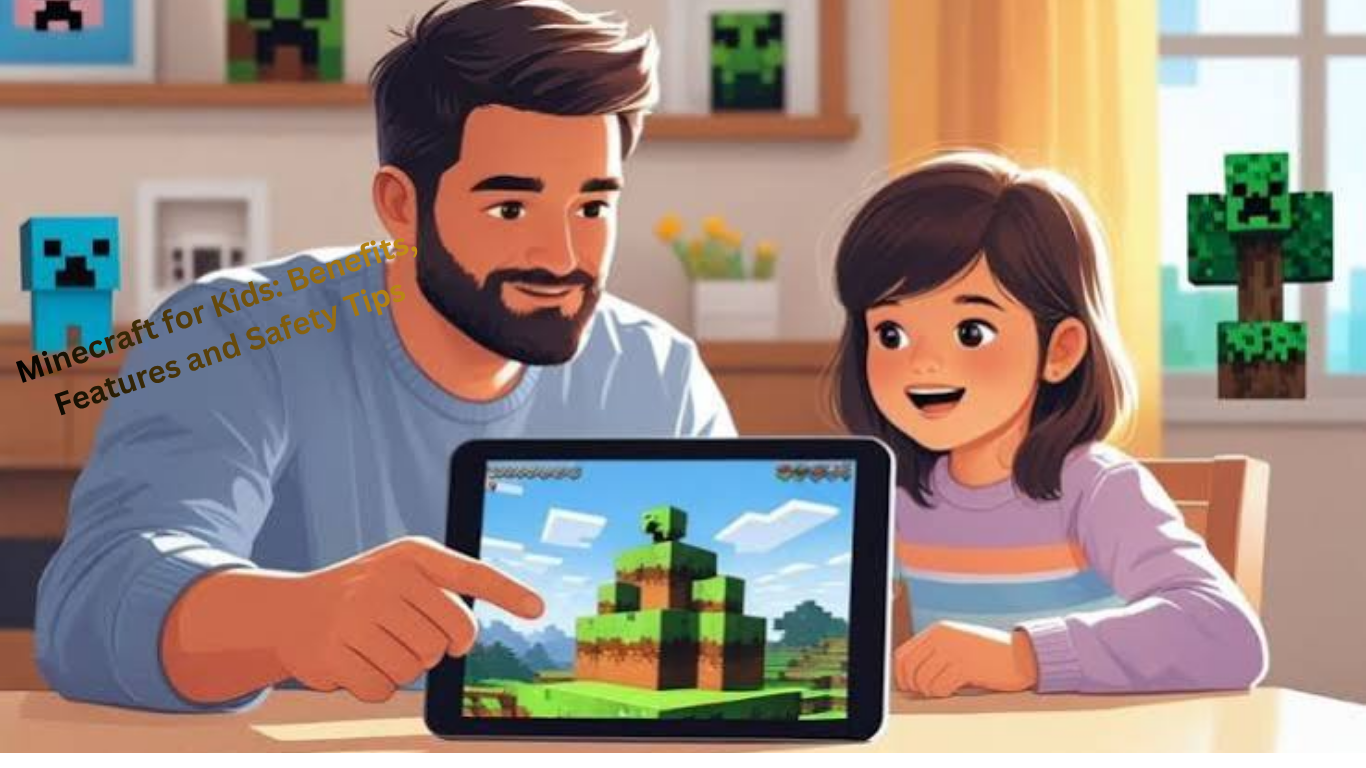
Minecraft can also be a bridge between children of different ages. Siblings who struggle to find a shared game often enjoy building together. Parents who join in can use the game as a way to connect with their children, learn about their interests, and spend enjoyable time together.
- Patience, Persistence, and Resilience
Large Minecraft projects take time. Building a big castle or a complete farm can take many hours. Children learn that important goals require sustained effort. They also learn to cope with setbacks. A creeper may explode and destroy part of a building, or a player may fall into lava and lose items. Rebuilding after a loss teaches resilience in a low-stakes environment.
Of course, these setbacks can sometimes cause frustration. Parents can use those moments to talk about how to handle disappointment calmly, which is a valuable lesson in itself.
- Reading, Writing, and Communication
Children often read signs, instructions, and in-game text, and many look up guides online. Some write their own tutorials or stories set in their worlds. Using the in-game book and quill, players can write books and notes. Others create videos explaining their builds. These activities encourage literacy in a way that feels purposeful to the child, because they are reading and writing for something they care about.
- Digital Literacy
Playing Minecraft helps children become comfortable with digital tools. They learn to navigate menus, manage settings, use keyboard shortcuts or controllers, and troubleshoot problems. For families who want to introduce children to technology in a controlled manner, the game can be a gentle starting point for conversations about online behavior, privacy, and responsibility. We will return to this in the safety section.
- Emotional Expression and Relaxation
Many children find Minecraft calming. Building a quiet house by a lake or tending a small farm can be a relaxing way to unwind after school. Creative mode in particular offers a stress-free environment. Some children also use the game to process feelings, building places that represent things they care about. It is important to remember, however, that games should not be the only way a child manages emotions, and parents should watch for signs that a child is using the game to avoid real-life problems.
- Support for Children with Different Learning Needs
Some educators and parents report that children with attention differences or on the autism spectrum find Minecraft engaging and predictable, with clear rules and a flexible pace. Because players can choose their level of interaction and challenge, it can be adapted to individual needs. Research in this area is still developing, and every child is different, so it is best to treat these reports as promising rather than guaranteed. If you have specific concerns, speak with your child’s teacher or a qualified specialist.
Minecraft Education: Learning Inside the Game
Microsoft offers a version of the game designed specifically for classrooms, called Minecraft Education. It includes everything that makes the standard game appealing and adds tools for teachers, such as classroom management features, lesson plans, and worlds built around school subjects.
Teachers have used it to teach history through reconstructed historical sites, chemistry through a built-in element and compound system, coding through block-based programming tools, and language arts through collaborative storytelling. Students can work in groups to solve problems and then present what they have built.
Access usually requires an account provided through a school or organization, and availability can vary by region and over time. If your child’s school uses it, ask the teacher how it is used and whether there are materials you can look at at home. If it does not, you can still find free lessons and challenges online, many of which can be adapted for use in the standard game.
What Is the Right Age to Start Playing?
There is no single correct age, but there are useful guidelines.
Official ratings suggest that Minecraft is suitable from around seven years old in many regions, mainly because of its mild fantasy violence. Many children younger than this play it successfully, especially in Creative mode or on Peaceful difficulty, with a parent nearby.
Online play is a separate question. Children need maturity to deal with strangers, chat messages, and unexpected situations. Many families decide to keep younger children in single-player mode or in private worlds with known friends until they are older and more confident. Microsoft’s own account systems require parental consent for children below a certain age, which varies depending on the country, and families set up child accounts as part of the Microsoft Family system.
A good approach is to treat the decision in stages. Start with single-player Creative mode. Move to Survival when your child is comfortable. Introduce multiplayer first with a small circle of real-life friends or family. Only later, and only with discussion and safeguards, consider public servers.
Safety Tips for Parents
The most important thing to understand is that Minecraft the game is not the main source of risk. The risk comes from the online features around it, such as chat, public servers, downloads, purchases, and the amount of time spent playing. The following tips will help you reduce those risks.
- Set Up Child Accounts and Family Safety Controls
Create a Microsoft account for your child through the Microsoft Family Safety system and link it to your own. This lets you manage permissions, including whether your child can communicate with other players, join multiplayer games, and see user-generated content. You can also set screen time limits and approve or decline purchases.
On consoles and tablets, use the device’s built-in parental controls as well. Platforms such as Xbox, PlayStation, Nintendo Switch, iOS, and Android all provide tools for restricting communication, spending, and age-inappropriate content.
Controls and menu names change from time to time, so check the current instructions on the official Microsoft Minecraft and Xbox support pages when you set things up.
- Decide on Chat Settings Together
Chat is where most problems arise, because it allows contact with strangers. In many versions, you can turn chat off entirely, limit it to friends, or restrict it to preset messages. For young children, turning off chat or limiting it to approved friends is the safest choice.
Explain to your child why you are doing this. Children are more likely to follow rules when they understand the reason. You can say something like, “Just as we do not let strangers talk to you at the park, we only let people we know talk to you in the game.”
- Be Cautious with Public Servers
Public multiplayer servers, especially on Java Edition, are run by independent people and are not all moderated to the same standard. Some are well run and have strict rules and active moderators. Others may have inappropriate language, cheating, scams, or unsafe behavior.
For younger children, it is safer to use one of these options:
A single-player world
A private world shared only with family or real-life friends
A Realm, which is a small, paid, invitation-only server run by Mojang, where the owner decides who can join
If your child wants to join a public server, look at it together first. Read the rules, check whether it has active moderation, and watch how other players behave before allowing your child to play.
- Teach Your Child the Basic Rules of Online Safety
Whatever settings you use, the best long-term protection is a child who knows what to do. Teach these rules clearly and repeat them often:
Never share your real name, address, school, phone number, passwords, or photographs with anyone online.
Use a gamertag or username that does not reveal personal information, such as your full name or your age.
Do not accept friend requests from people you do not know in real life.
If someone makes you feel uncomfortable, asks for personal details, or asks you to keep a secret, stop talking to them and tell a trusted adult immediately.
Never click on links or download files from people you do not know.
Remember that people online may not be who they say they are.
Make sure your child knows that they will not be in trouble for telling you about something upsetting that happened online. If children fear that they will lose their game or device as punishment, they may hide problems from you.
- Watch Out for Mods, Downloads, and Third-Party Websites
Mods and custom maps can make the game more fun, but they are also a common way for harmful software to reach a computer. Fake mod websites and file-sharing sites sometimes include viruses or programs designed to steal account information.
Set a clear household rule that nothing is downloaded without a parent’s approval. Use only reputable sources and the official in-game marketplace where possible. Keep antivirus software and operating systems up to date. If your child uses Java Edition on a computer, take extra care with downloads.
- Control Spending
Minecraft itself is a one-time purchase, but many extras can cost money. These include marketplace content, skins, Realms subscriptions, and in-game currency known as Minecoins. Children can easily spend more than intended, particularly if a payment method is saved on the account.
You can reduce this risk by turning off one-click purchasing, requiring a password or approval for every purchase, using prepaid gift cards, and setting a monthly spending limit. Talk to your child about the difference between virtual items and real money, and about how limited-time offers are designed to create urgency.
- Beware of Scams and Fake Offers
Children are common targets for scams that promise free currency, free premium accounts, or special items in exchange for a login or a click. Some come through chat, others through videos or websites. Teach your child that no genuine offer will ask for their password, and that anything that seems too good to be true almost certainly is.
Enable two-step verification on the parent account and use strong, unique passwords. This protects the account if your child is tricked into revealing information.
- Handle Cyberbullying and Griefing
Griefing means deliberately destroying or ruining another player’s builds. It can be upsetting, especially after hours of work. Some players also use chat to insult or harass others. Teach your child how to use the mute, block, and report tools in the game, and encourage them to leave any server where they feel unsafe or unhappy.
If your child is upset, listen calmly first. Show that you take the problem seriously, help them save evidence such as screenshots, and report it through the game or platform. If the problem involves threats or a stranger asking for personal information, you may need to report it to the platform and, in serious cases, to the relevant authorities.
- Be Aware of Online Videos
Many children learn about Minecraft by watching video creators. Most of this content is harmless and entertaining, but not all of it is suitable for children. Some videos contain bad language, inappropriate jokes, or advertising for products and servers. Use child-friendly settings on video platforms, subscribe to creators you have checked yourself, and watch together from time to time so you know what your child is seeing.
- Stay Involved
The most effective safety measure is interest. Ask your child to show you around their world. Ask them what they are building, who they are playing with, and what the best and worst parts of the game are. Playing alongside them for a short time each week gives you a natural way to see what is happening and to notice problems early.
Where possible, have your child play in a shared family space rather than alone behind a closed door, especially while they are young. This does not mean spying on them, but it makes it easier to talk about what they are doing.
Managing Screen Time and Healthy Habits
Even if the game itself is positive, too much of it can cause problems. Excessive screen time can interfere with sleep, physical activity, schoolwork, and face-to-face relationships. Minecraft can be especially absorbing because projects feel unfinished and there is always something more to do.
These approaches can help:
Agree on limits together. Rather than imposing a number, discuss with your child what a fair amount of time looks like on school days and on weekends. Children are more likely to respect limits they helped create.
Use natural stopping points. Instead of switching the device off in the middle of a task, give a warning, such as “ten more minutes, then we finish this build and save.” A short warning reduces conflict.
Protect sleep. Avoid gaming in the hour or so before bedtime, and keep devices out of bedrooms overnight if possible.
Balance with other activities. Make sure there is time every day for outdoor play, exercise, reading, hobbies, and family time. Gaming should be one part of a varied life, not the center of it.
Prioritize responsibilities. A simple rule is that homework, chores, and meals come first.
Watch for warning signs. If your child becomes very irritable when asked to stop, loses interest in other activities, hides how much they play, or if their schoolwork or sleep suffers, it may be time to reduce play time and have a serious conversation. If the problem continues, speak to a doctor or a child counselor.
Use the time wisely. Not all screen time is equal. An hour spent building a creative project or working with a friend is different from an hour spent passively watching videos. You do not need to eliminate screen time, but encouraging active and creative use is worthwhile.
Getting Started: A Practical Guide for Parents
If your child is new to Minecraft, or if you are new to it yourself, the following steps make for a smooth start.
Choose the right edition and device. Check what devices you have and which edition will work. Buy the game only from official stores.
Set up the account properly. Create a child account linked to your family group and adjust the privacy and communication settings before the first play session.
Begin in a single-player Creative world. Let your child explore the controls and the basic ideas without pressure.
Play together at first. Spend the first sessions beside your child. Ask them to teach you, since children enjoy being the expert.
Introduce Survival later. When your child is comfortable, try Survival on Peaceful or Easy difficulty. Talk about the challenges and how to solve them.
Add multiplayer slowly. Start with family members or a few real-life friends in a private world.
Review settings regularly. As your child grows, your rules will need to change. Revisit the controls every few months.
Keep talking. Make it normal for your child to discuss their online life with you.
Project Ideas to Make Minecraft More Educational
You can turn game time into richer learning by suggesting projects that connect to real-world interests. Here are some ideas.
Build a model of your home or school. This involves measuring, scaling, and spatial planning.
Recreate a historical place. For example, build an ancient city, a castle, or a famous monument after reading about it.
Design a sustainable village. Plan farms, water supply, and energy use, and explain the choices.
Make a working machine with redstone. Start with something simple such as an automatic door and talk about how it works.
Write a story set in the world. Build the scenes first and then write about the characters and events.
Create a museum tour. Build exhibits about animals, space, or a favorite topic and use signs to explain each one.
Plan a budget. Give your child a set number of blocks or resources and ask them to plan a structure within that limit.
Collaborate on a family build. Work as a team on a large project, giving each person a role.
Make a tutorial. Ask your child to teach a new skill to a younger sibling or friend, which strengthens understanding and communication.
These activities keep the game fun while linking it to skills children use at school and beyond.
Frequently Asked Questions
Is Minecraft safe for kids?
The core game is generally considered suitable for children, and its violence is mild and cartoon-like. The main risks lie in online features such as chat, public servers, downloads, and in-game purchases. With the right settings and regular conversation, most families can manage these risks well.
Is Minecraft educational?
It can be. It encourages creativity, problem solving, planning, and teamwork, and it touches on math and basic science and programming ideas. It is not a substitute for classroom learning, but it can support and inspire it, especially when parents connect it to real-world topics.
What age is best for Minecraft?
Many children begin enjoying it around six or seven, and official ratings usually suggest seven and above. Younger children can play in simple modes with a parent. Online and public play should wait until your child is mature enough to handle strangers and unexpected content.
Is Minecraft addictive?
Minecraft is designed to be engaging, and some children find it hard to stop. This does not mean every child will develop a problem, but it does mean limits and routines are important. Pay attention to how your child behaves when they stop playing and whether the game is crowding out other parts of life.
Should my child play on public servers?
For younger children, it is safest to avoid them. If an older child wants to play on a public server, choose a well-moderated one, review it together, and keep the privacy and communication controls active.
Can I play Minecraft with my child?
Yes, and it is strongly encouraged. Playing together builds your relationship, helps you understand the game, and gives your child confidence that you are interested in what they love.
Does Minecraft cost money?
The base game requires a one-time purchase, with prices varying by platform. Optional extras such as marketplace content and Realms subscriptions cost additional money, which is why purchase controls are important.
What should I do if my child experiences something upsetting?
Stay calm, listen, and reassure them that they did the right thing by telling you. Save evidence, use the block and report tools, and review your safety settings. If the situation involves threats or a request for personal information, contact the platform and, if necessary, the appropriate authorities.
Conclusion
Minecraft has earned its place as one of the most popular games for children because it respects their imagination. It gives them a vast, open world and trusts them to decide what to do with it. In return, it can build creativity, logical thinking, mathematical understanding, patience, and the ability to work with others. Used well, it can be a bridge to science, technology, art, and even closer family relationships.
At the same time, it is a game that connects children to a wider online world, and that world needs adult guidance. The best approach combines technical settings with open conversation. Set up child accounts, control chat and purchases, be careful with servers and downloads, and agree on healthy time limits. Just as importantly, show interest, ask questions, and play with your child when you can.
If you do these things, Minecraft can be much more than a way to pass the time. It can be a place where your child learns to build, solve, share, and grow, while you remain close enough to keep them safe. Start small, stay involved, adjust as your child matures, and enjoy watching what they create.

Leave a Reply